
How to Search LA County Court Records
The main portal is Public Access Online Services, hosted at lacourt.ca.gov. PAOS bundles three core tools. One searches civil, family, probate, and small claims cases by litigant name. One searches criminal cases by defendant name. The third downloads imaged documents once you already know the case number. The court runs PAOS under California Rule of Court 2.506 and Government Code section 68150(h), which let the court charge fees to cover the cost of electronic access. Each tool sits behind a fee, but guest checkout is the fastest path for a one-off lookup. A registered user account makes sense only when search volume is heavy.
Before you start, gather the basics. You need the full name of the party, an idea of the case type, and a payment card. If you already have the case number, skip the name search and go straight to document images. Sealed and confidential files will not appear. Traffic and infraction cases are not in the criminal name search and go through the Traffic Division tools instead.
The court provides a related case access landing page at FindaCase. The lead-in image below shows the PAOS document image search screen used to pull scanned filings once you have a case number.
The court captures this screen on the official LA Superior Court site under PAOS document images.
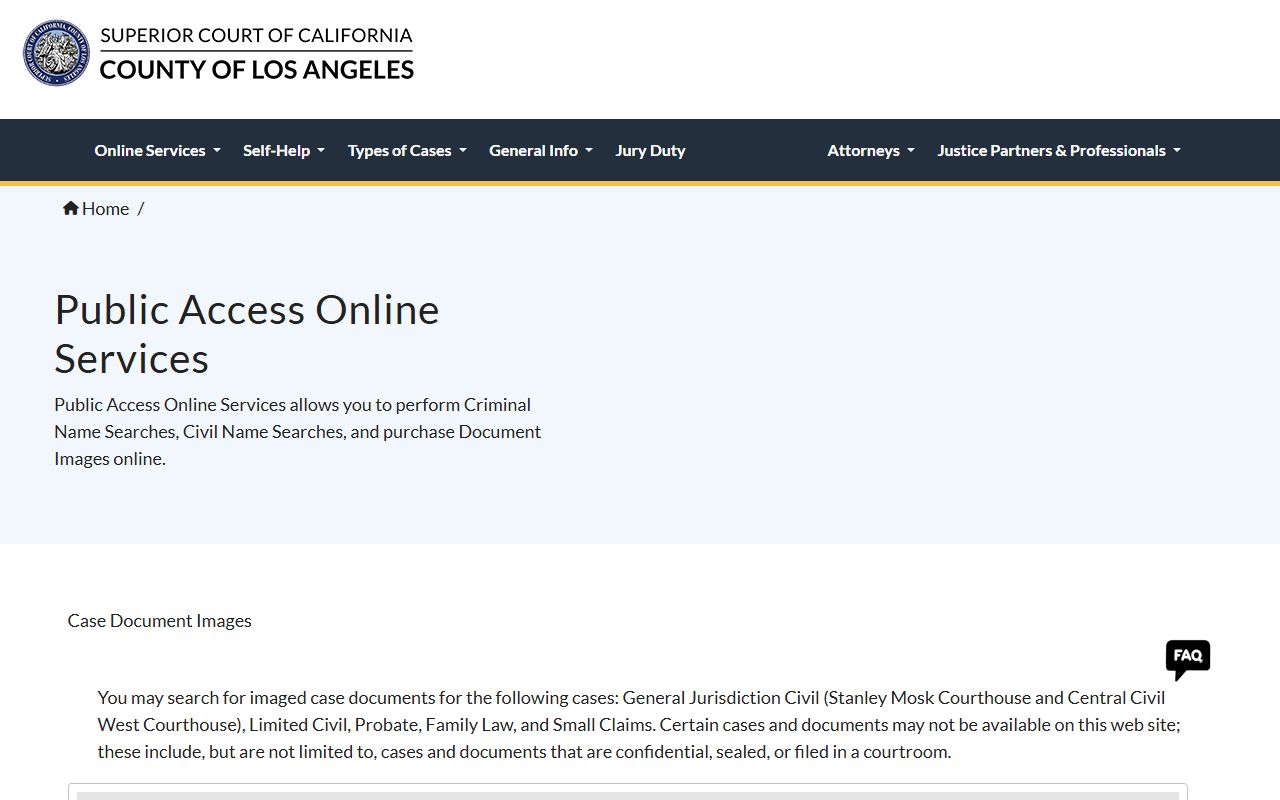
The screen lists the case types in scope and the per-page download fee. Save your receipt number before closing the window.
- Pick the right tool. Civil, family, probate, or small claims go to the Search for Case by Name service. Criminal goes to Search for Case by Defendant Name. Pulling scans needs the Search for Document Images service.
- Choose guest checkout or sign in to a registered account. Guest is fine for one search. A registered account lowers the per-search cost when volume rises past 10 lookups.
- Enter the name or the case number. PAOS results show the litigant name, case type, filing date, filing location, and number of available imaged documents.
- Pay the fee and confirm the receipt. The guest name search is $4.75. Document image pages 1 to 5 cost $1.00 each. Page 6 and after cost $0.40 each, capped at $40 per document.
- Save the case number, then run the document image search to pull PDFs. The court warns that newly filed material is added daily.
- Print or download right away. Name search results disappear two hours after the transaction. Purchased documents stay in the receipt panel for 30 days.
- If a record is older than the PAOS coverage window, contact court Archives or the filing courthouse on the result list.
LA County Court Records Search Fields
The PAOS civil name search has a short field list. The court does not publish exact first-name and last-name field labels on the static information page, but the transaction flow uses standard name input plus a case category choice and payment selection. Receipt retrieval lives in its own panel for users coming back inside the two-hour window. The table below reflects the fields exposed on the court's public-facing PAOS pages for civil, family, probate, and small claims name search.
| Field Label | Type | Required | Options / Format Notes |
|---|---|---|---|
| Party / litigant name | text | yes | The static official page describes name searching but does not expose exact first/last-field labels. |
| Case category | implicit service | yes | Civil, Small Claims, Family Law, Probate. |
| Payment / guest or registered user | transaction choice | yes | Fee depends on guest vs registered user and monthly registered-user volume. |
| Receipt Number | text | optional for retrieval | On Guest Information receipts panel. |
| Last 4 Digits of Credit Card Used | text | optional for retrieval | Used to retrieve past guest purchases. |
| Search button | button | yes | Search action available inside transaction flow. |
The criminal name search uses a parallel pattern but separates felony from misdemeanor coverage, and traffic is excluded. The document image search requires a valid case number first. Sealed and confidential cases do not show.
Types of LA County Court Records
The LA Superior Court has nine divisions, and each division builds its own record set. Civil is the largest pool. Criminal sits next. Family law, probate, and small claims fill the rest of the main public-access menu. Juvenile and mental health files exist but are mostly closed to public lookup. Traffic and infractions are handled in a separate Traffic Division and are not part of the criminal name search.
The LA Court online case landing page at FindaCase states that public access covers civil, criminal, family law, probate, and small claims case information. The next screenshot shows that landing page directly.
The page is hosted on the official LA Court online services site at ww2.lacourt.org.
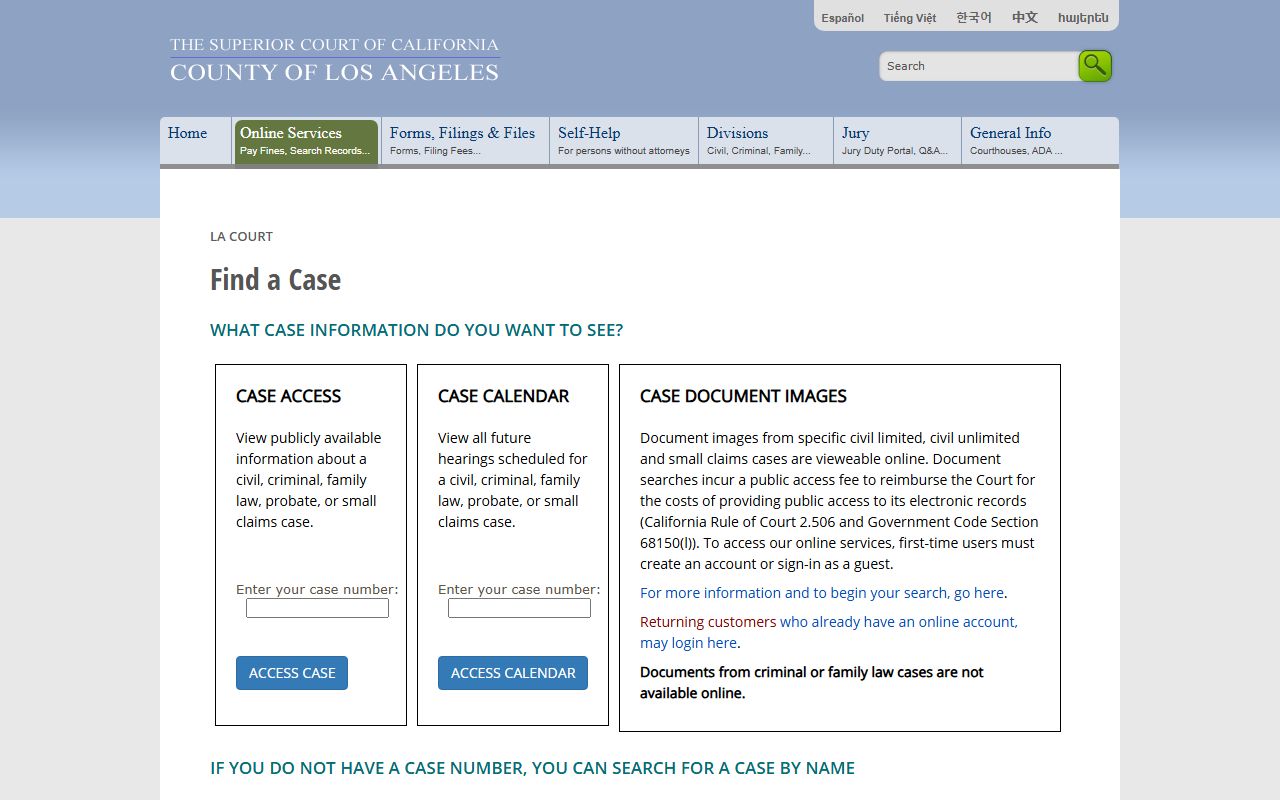
That single page is the simplest map of what the court actually exposes by name search. Anything outside that map is either restricted by law or held in paper archives.
- Civil records: complaints, summons, motions, minute orders, judgments, writs, abstracts, and notices of appeal.
- Criminal records: complaints, arraignment minutes, plea entries, sentencing minutes, abstracts, and protective orders.
- Family law records: dissolution petitions, custody and visitation orders, support orders, restraining orders, and judgments.
- Probate records: petitions for probate, wills, letters, inventories, accountings, guardianship and conservatorship files.
- Small claims records: plaintiff and defendant claims, hearing dispositions, judgments, and enforcement papers.
- Traffic and infraction records: cited offenses, fines, traffic school eligibility, and failure-to-appear actions.
- Juvenile records: dependency and delinquency files, sharply restricted under Welfare and Institutions Code section 827.
What LA County Court Records Show
A PAOS hit returns a short stack of fields you can read at a glance. Civil and family name searches return the litigant name, case type, filing date, filing location, and the count of available imaged documents. Criminal hits return the case number, defendant name, filing date, and filing location. Document image results then list each available scan by title and date so you know what you are buying.
| Field | What It Shows |
|---|---|
| Case Number | Required for document image lookup. Format varies by case type, location, and year. |
| Filing Date | Date the case was filed. Returned in civil and criminal name results. |
| Filing Location | Courthouse where the case was filed. Returned in civil and criminal name results. |
| Case Type | Civil, family, probate, small claims, felony, or misdemeanor. |
| Parties | Civil, family, probate, and small claims results return litigant names. Criminal returns defendant name. |
| Document Count | Number of imaged documents available for download in the case. |
| Documents | Downloadable PDFs after payment. Sealed, confidential, or courtroom-filed papers may be absent. |
| Retention / availability | Name search results stay for two hours. Purchased documents stay for thirty days. |
| Redactions | The court warns about Social Security and financial account numbers in filed documents. |
Court records also carry hearing, judge, and disposition details once you open the case summary. Minute orders are the most useful single document because they record what the judge ruled on each hearing date. For broader case context, the Los Angeles County court dockets page covers the docket register layout.
PAOS Date Range Coverage
PAOS coverage is not uniform. Some civil files reach back to 1983. Limited civil files start in 1991. Small claims name search begins in 1992, while imaged small claims documents go all the way back to 1988. Felony criminal coverage begins in 1980. Misdemeanor begins in 1988, with some older automated records depending on when the former Municipal Court location migrated its files. Older cases live in court Archives and are pulled by request.
Document image coverage is tied to filing courthouse and case type. Unlimited civil scans for Stanley Mosk start on 03/15/2000. Central Civil West scans run on or before April 13, 2018, with later files routed to Stanley Mosk. Probate scans begin 01/01/2001. Family law scans begin 05/01/2000. Limited civil and unlawful detainer scans go back to 01/01/1970. Not every filing in those windows is online. The court says new and prior documents are added each day.
The LA Court self-help service catalog explains how the court routes records help to the right courthouse. The screenshot below is from selfhelp.lacourt.org, the county's own self-help portal.
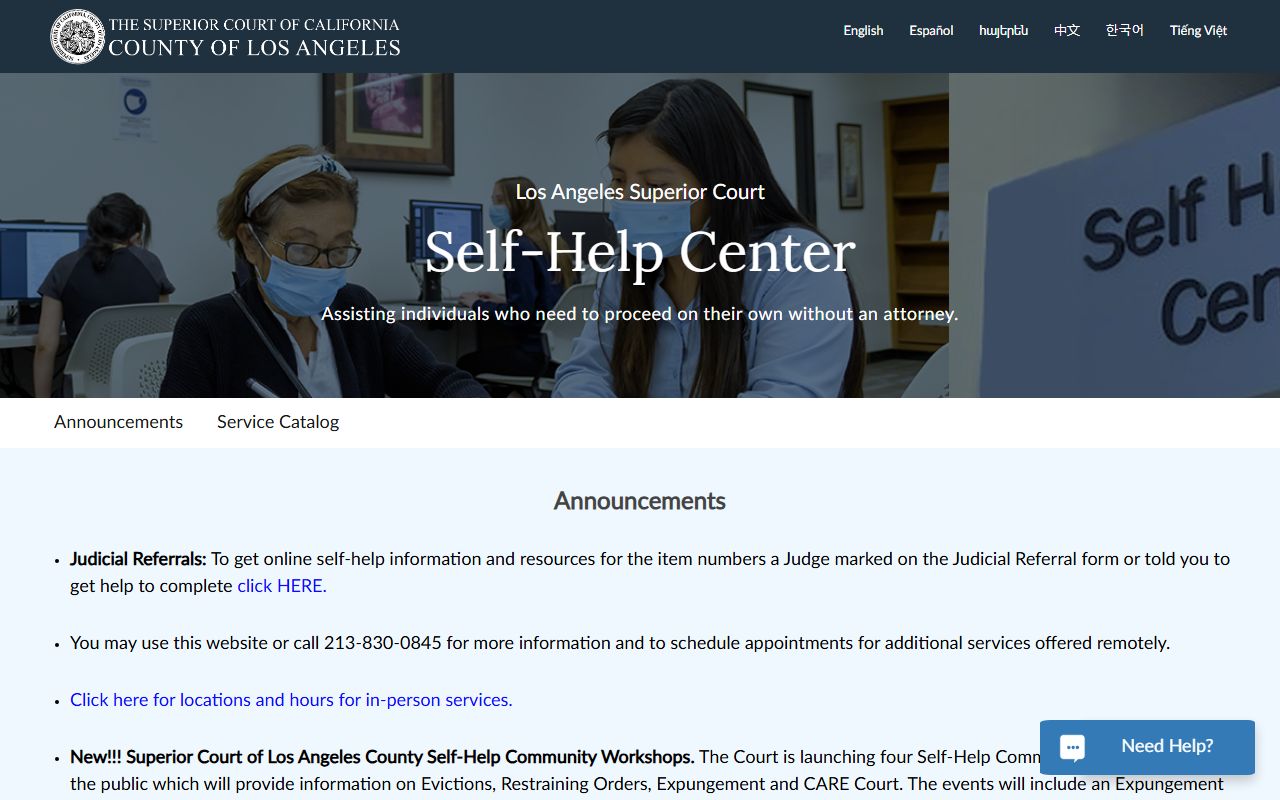
That catalog is the right starting point if you are searching for an older case and need help figuring out which courthouse to call. Court staff also recommend it for fee waiver and form questions.
Public Access Laws for LA County Court Records
Court case records and agency records are not governed by the same law. The California Public Records Act, recodified at Government Code section 7920.000 and after, covers state and local agency records. That is the right path for Sheriff administrative records or RR/CC files. Court case records are governed by constitutional access rules, the California Rules of Court, and statutes that make specific files confidential. The court cites Government Code section 68150 as authority for keeping records in electronic form.
Two California Rules of Court do most of the day-to-day work. Rule 2.503 says electronic court records must be reasonably available unless sealed by court order or confidential by law. It requires electronic access where it is feasible to provide registers of actions, calendars, indexes, and civil records, with listed exclusions. Rule 2.550 sets the test for sealing. The court must find an overriding interest, a real risk of prejudice without sealing, and no less restrictive way to protect that interest.
Note: The LA Court charges fees for electronic access under Rule 2.506 and Government Code section 68150 to recover the cost of running PAOS.
Restricted and Sealed LA County Court Records
Some files never show up in PAOS at all. Juvenile dependency and delinquency files are limited by Welfare and Institutions Code section 827. Access is restricted to parties, lawyers, child welfare and probation agencies, and others listed by statute. The general public usually needs juvenile court permission. Adoption files are confidential under Family Code section 9200.
Sealed civil, family, probate, and criminal filings under California Rule of Court 2.550 are not available through PAOS document images. Arrest records sealed under Penal Code section 851.91 are removed from public access after sealing. Mental health proceedings, including LPS conservatorships and CARE petitions, are limited by statute and privacy law. Unlawful detainer records have special access rules for some time after filing. Grand jury material is secret unless the court releases it. Petitions to view a sealed file are filed in the court that issued the sealing order and must show grounds that overcome the sealing finding.
Fees for LA Court Online Records
The PAOS fee schedule is published on the court's CivilIndex and DocumentImages pages. Guest name searches are flat priced. Registered users pay a tiered rate that drops as monthly volume rises. Document images use a per-page fee with a per-document cap. The court does not refund a search that returns no hits, so check spelling and date ranges before you pay.
| Service | Fee |
|---|---|
| Guest name search | $4.75 per search |
| Registered user, searches 1-10 per month | $1.00 per search |
| Registered user, searches 11-99 | $4.75 per search |
| Registered user, searches 100-999 | $4.50 per search |
| Registered user, searches 1000-10000 | $4.25 per search |
| Registered user, searches 10001+ | $4.00 per search |
| Document images, pages 1-5 | $1.00 per page |
| Document images, page 6 and after | $0.40 per page |
| Document image cap | $40.00 per document |
Press, attorneys, and other heavy users may also use my.lacourt.org for registered services and remote tools. Media organizations use the LA Court Media Access Portal for subscription access.
Attorney and Media Portals
Lawyers and reporters often need more than the guest portal. The my.lacourt.org site handles attorney-level access, remote hearing tools, and registered service accounts. The media portal supports working reporters who need ongoing access. These tools sit alongside PAOS, not in place of it.
The screenshot below shows the attorney and remote services landing page at my.lacourt.org.
That page is the right start for bar members and registered users. The general public can stick with PAOS.
The next screenshot shows the LA Court Media Access Portal at media.lacourt.org, which is a subscription site for press use.
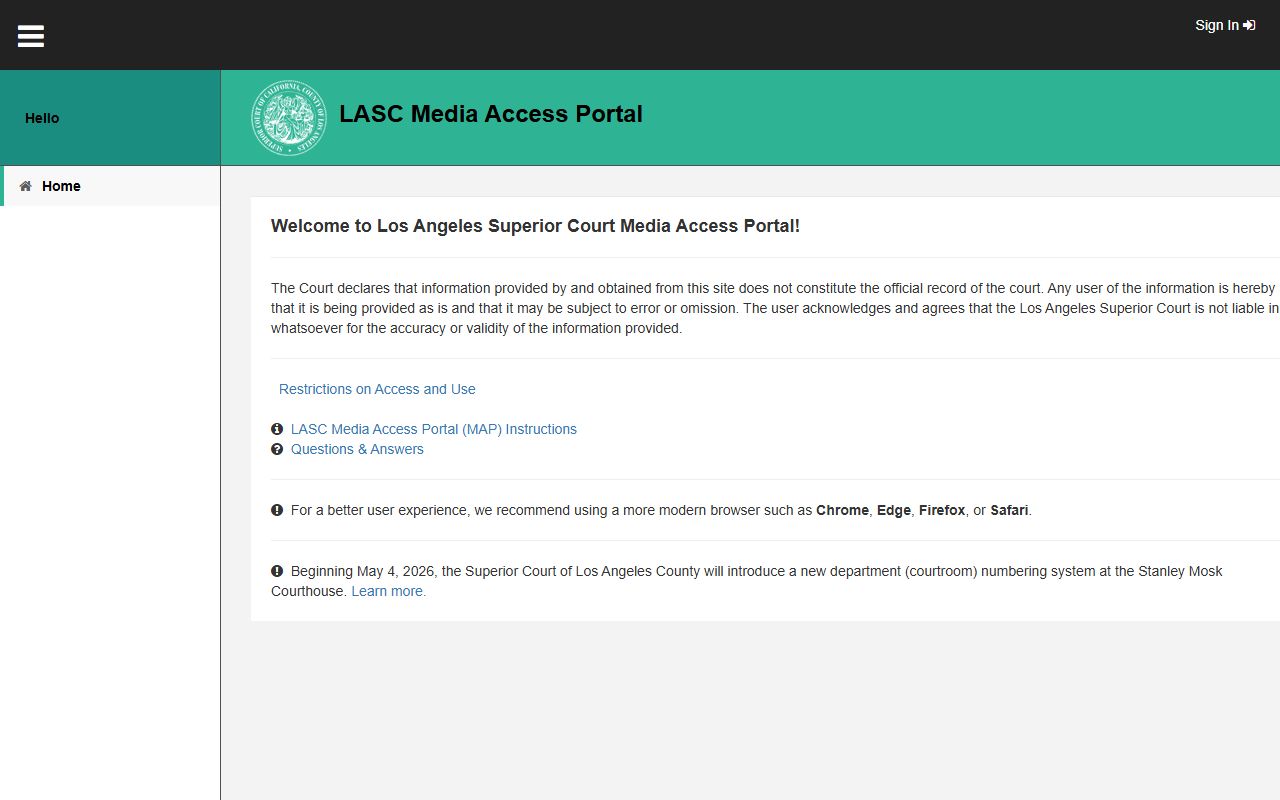
That media portal is not the place for casual lookups. Use PAOS for those.
Older Records and Archives
If your case is older than the PAOS window, you need court Archives. PAOS name search reaches back to 1983 for unlimited civil, probate, and family law, and to 1980 for felony criminal. Limited civil starts in 1991. Small claims name search starts in 1992. Older paper case files were created at former Municipal Court sites that automated their records at different times. The court Archives unit holds these files. Calls are routed through the courthouse that last held the case or through Stanley Mosk for central civil matters.
Records copy and certification work happens at Stanley Mosk Courthouse, 111 North Hill Street, Room 112. Civil filing is in Room 102. The phone for civil clerical operations is (213) 830-0803, with phone hours 8:30 a.m. to 4:30 p.m. Appointments are strongly encouraged. Plan extra time for security screening.
In-Person Court Record Requests
For copies, certifications, and older files, walk in at the Clerk's Office. The Clerk's Office at Stanley Mosk is open Monday through Friday from 8:30 a.m. to 4:30 p.m. except court holidays. The building opens at 7:30 a.m. but the clerk windows open at 8:30 a.m. Bring the case number, a photo ID, and payment.
Clerk of the Superior Court, Stanley Mosk Courthouse
111 North Hill Street, Room 112
Los Angeles, CA 90012
(213) 830-0803
Mon-Fri 8:30 a.m. - 4:30 p.m.